
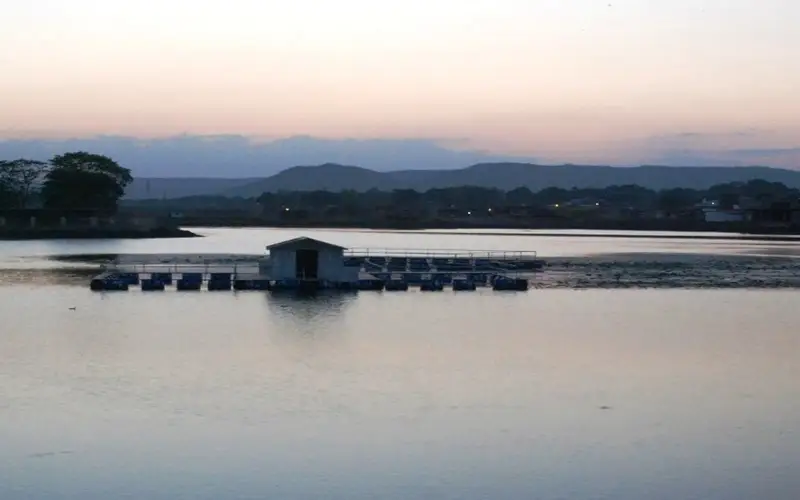
स्वागत है · लोहरदगा जिला Apna Lohardaga · Jharkhand
Lohardaga: سب کچھ ایک ہی جگہ
🎤 مائیک دبائیں اور بتائیں کیا چاہیے Tap the mic and say what you need
خدمات Services
سب › شادی ہالHalls
 ڈاکٹرDoctors
 مرمتRepairs
 کھاناFood
 کھیتیFarming
 تعلیمEducation
 دکانیںShops
 ٹرانسپورٹTransport
آج Today
مزید ›فوری مدد Quick help
آج · Lohardaga
⚠️ Report✅ ابھی یہاں کچھ نہیں۔
مزید خدمات · More Services
ہر دکان، خدمت اور دفتر — کال، واٹس ایپ اور نقشے کے ساتھ۔
 روزمرہ ضروریاتDaily needs
 تعمیر، سامانConstruction & materials
 گاڑیاں اور گیراجVehicles & garages
 پراپرٹی اور کرایہReal estate & rentals
 شادی اور تقریباتWeddings & events
 خوبصورتی اور فٹنسBeauty & fitness
 ہوٹل اور قیامHotels & stays
 مقامی مصنوعاتMade in Bidar
 پیشہ ور اور فنانسProfessionals & finance
 شہری خدماتCitizen services
 عبادت گاہیں، برادریWorship & community
 Ask Lohardaga
 Your next opportunity
 نوکریاںJobs
Apna Lohardaga · लोहरदगा जिला
Lohardaga کس لیے مشہور ہے
The pride of Lohardaga, Jharkhand.
آج کی تازہ معلومات
ابھی یہاں کچھ نہیں۔ Post the first one.
Lohardaga دیکھیں
Plan a trip →Lohardaga district is one of the twenty-four districts of the Indian state of Jharkhand. The district is named after the town of Lohardaga, the administrative headquarters of the district. The district was created from a portion of Ranchi district in 1983.
10 منٹ میں اپنا کاروبار آن لائن لائیں
Just tell us your business name and type — your site is ready instantly. Add photos from your phone. No technical knowledge needed.
- Your own site: name-lohardaga.mydistrict.in
- Bookings, menus or appointments
- WhatsApp, call and map buttons
- UPI payment details & QR poster
- Listed in the MyDistrict app
- Visitor and enquiry reports
آپ کا ضلع آپ کی جیب میں
Add MyDistrict to your home screen — it works like an app, even on slow networks. Business owners manage their site, bookings and enquiries from the same app.