
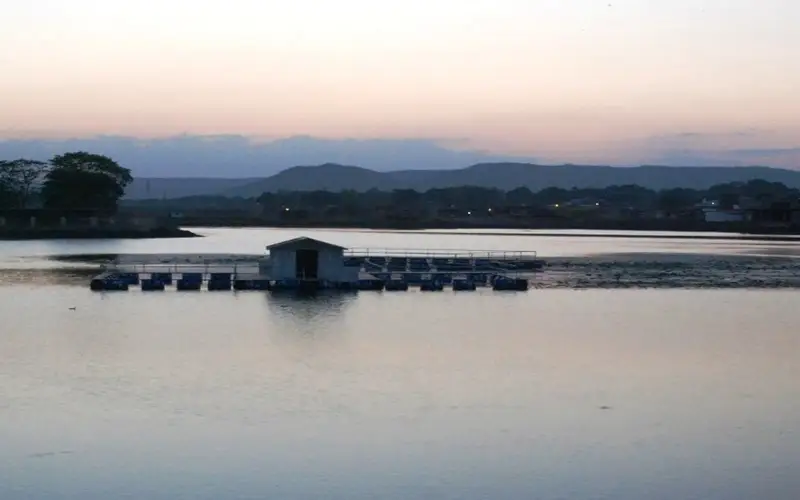
स्वागत है · लोहरदगा जिला Apna Lohardaga · Jharkhand
Lohardaga: అన్నీ ఒకే చోట
🎤 మైక్ నొక్కి మీకు ఏం కావాలో చెప్పండి Tap the mic and say what you need
సేవలు Services
అన్నీ › ఫంక్షన్ హాల్Halls
 డాక్టర్లుDoctors
 రిపేర్లుRepairs
 భోజనంFood
 వ్యవసాయంFarming
 చదువుEducation
 దుకాణాలుShops
 రవాణాTransport
ఈరోజు Today
మరిన్ని ›త్వరిత సహాయం Quick help
ఈరోజు · Lohardaga
⚠️ Report✅ ఇంకా ఏమీ లేదు.
మరిన్ని సేవలు · More Services
ప్రతి షాపు, సేవ, కార్యాలయం — కాల్, వాట్సాప్, మ్యాప్తో.
 రోజువారీ అవసరాలుDaily needs
 నిర్మాణం, సామగ్రిConstruction & materials
 వాహనాలు, గ్యారేజీలుVehicles & garages
 రియల్ ఎస్టేట్, అద్దెలుReal estate & rentals
 పెళ్లిళ్లు, ఈవెంట్స్Weddings & events
 బ్యూటీ, ఫిట్నెస్Beauty & fitness
 హోటళ్లు, బసHotels & stays
 స్థానిక ఉత్పత్తులుMade in Bidar
 నిపుణులు, ఫైనాన్స్Professionals & finance
 పౌర సేవలుCitizen services
 ప్రార్థనా స్థలాలు, సమాజంWorship & community
 Ask Lohardaga
 Your next opportunity
 ఉద్యోగాలుJobs
Apna Lohardaga · लोहरदगा जिला
Lohardaga ప్రత్యేకతలు
The pride of Lohardaga, Jharkhand.
ఈరోజు కొత్తవి
ఇంకా ఏమీ లేదు. Post the first one.
Lohardaga చూడండి
Plan a trip →Lohardaga district is one of the twenty-four districts of the Indian state of Jharkhand. The district is named after the town of Lohardaga, the administrative headquarters of the district. The district was created from a portion of Ranchi district in 1983.
10 నిమిషాల్లో మీ వ్యాపారం ఆన్లైన్లోకి
Just tell us your business name and type — your site is ready instantly. Add photos from your phone. No technical knowledge needed.
- Your own site: name-lohardaga.mydistrict.in
- Bookings, menus or appointments
- WhatsApp, call and map buttons
- UPI payment details & QR poster
- Listed in the MyDistrict app
- Visitor and enquiry reports
మీ జిల్లా మీ జేబులో
Add MyDistrict to your home screen — it works like an app, even on slow networks. Business owners manage their site, bookings and enquiries from the same app.